

Our name
Two words: Ocean Side. The web address runs them together; the name never does.
- Full
- Ocean Side Appraisals
- The first mention, headlines, signatures.
- Short
- Ocean Side
- After the first mention.
- Legal
- Ocean Side Appraisals, LLC
- Contracts, invoices, copyright lines.
Never
- Oceanside Appraisals
- OceanSide
- Ocean Side Appraisal
- OSA
Contact details, as written
- Web
- oceansideappraisals.com
- Phone
- (945) 248-2554
- info@oceansideappraisals.com
The logo
One lockup: OCEAN over SIDE, APPRAISALS beneath, a line of water through the first two letters, and a blue tang at the S. It is always used whole, from the files on this page.

-
The wave
A single line of water runs through the O and the C. It is part of the letters and is never removed.
-
The wordmark
OCEAN SIDE in a high-contrast serif. The letters are artwork: no font will match them, so the name is never retyped in their place.
-
The fish
A blue tang, the only part in full color. It keeps its colors on light and dark grounds alike.
-
The descriptor
APPRAISALS, widely spaced beneath the name. It says what we do and is always present.
Clear space and size
The logo needs room. Measure it with the logo itself, so the space grows and shrinks with it: the unit is the height of the O in OCEAN.
Keep half an O clear on every side. Text, photographs, other logos and the edge of the page stay outside it. More room is always better; less is never right.
Smallest on screen
100 px wide. Our own header uses this size on a phone.
Smallest in print
32 mm · 1¼ in
Wide, at the least. Where there is less room than that, write the name in text instead.
Transparent or white background
The logo comes two ways. Choose by where it is going, not by how it looks in a preview.

Transparent
No background of its own: whatever sits behind it shows through. Use it when you control that background, on a web page, a slide or a printed piece. The navy logo goes on light grounds and the white one on dark grounds.
 Edge of the file
On white
Carries its own white field, with the clear space built in. Use it where you do not control the background: a Word or Google document, an email signature, a directory listing, any form that asks for “your logo”. Some of these turn transparent areas black; this file cannot. Place it on white only.
Which logo on which ground
Light ground, navy logo. Dark ground, white logo. A middle tone, where neither reads clearly, is the wrong ground for both.
-
Do: White, navy logo
-
Do: Foam, navy logo
-
Do: Ink 100, navy logo
-
Do: Tide 50, navy logo
-
Do: Night, white logo
-
Do: Ink, white logo
-
Do: Tide 800, white logo
-
Do: An even, dark photograph, white logo
What not to do
The logo only works as drawn. Each of these breaks it.
-
Don’t: Don’t stretch or squash it.
-
Don’t: Don’t recolor it, in whole or in part.
-
Don’t: Don’t add shadows, glows or outlines.
-
Don’t: Don’t rotate or tilt it.
-
Don’t: Don’t crop it or leave a part out.
-
Don’t: Don’t retype the name in a font to stand in for it.
-
Don’t: Don’t put the navy logo on a dark ground.
-
Don’t: Don’t put the on-white file on a color. Its white box shows.
-
Don’t: Don’t set it over a busy photograph.
Color
Cool and quiet. Pale paper and deep ink carry almost every page; teal marks what you can act on; brass is the one warm note, used sparingly. Select any value to copy it.
-
Ink
Headings, body text, and the ground of dark sections.
- RGB
- 16 34 43
- Token
- ink-900
-
Night
The deepest ground: the footer, night scenes, and the field behind the white logo.
- RGB
- 11 26 33
- Token
- ink-950
-
Foam
The page. A cool paper white behind almost everything.
- RGB
- 246 248 248
- Token
- foam
-
Tide
Anything you can act on: buttons, links, the current page. Never decoration.
- RGB
- 12 79 92
- Token
- tide-700
-
Brass
A highlight in small doses: the marker on quoted policy text, rules, seals. Never text on a light ground.
- RGB
- 194 164 102
- Token
- brass-500
-
Logo Navy
The color of the logo, and only the logo. Do not set type or build layouts in it.
- RGB
- 36 77 124
- Token
- None: logo only
In proportion
Roughly how much of a page each color covers. The teal and the brass carry weight because there is so little of them.
- Foam and white
- Ink and Night
- Tide
- Brass
Full ranges
Every step of each color, for interface and print work, named as our stylesheet names them.
Ink
-
50
-
100
-
200
-
300
-
400
-
500
-
600
-
700
-
800
-
900
-
950
Tide
-
50
-
100
-
200
-
300
-
400
-
500
-
600
-
700
-
800
-
900
Brass
-
100
-
300
-
500
-
600
-
700
Text on a ground
The pairings we use, measured against the WCAG contrast standard for text. On a light ground, nothing paler than Ink 500 is text.
-
Ink on Foam
15.3:1 AAA
Headings and body text
-
Ink 600 on Foam
7.0:1 AAA
Introductions and secondary text
-
Ink 500 on Foam
4.7:1 AA
Captions and small print, the lightest text on a light ground
-
Tide on Foam
8.6:1 AAA
Links
-
White on Tide
9.1:1 AAA
Buttons
-
Brass 700 on Foam
5.2:1 AA
Italic eyebrow lines above a heading
-
White on Night
17.7:1 AAA
Headings and text on dark sections
-
Ink 300 on Night
8.7:1 AAA
Secondary text on dark sections
-
Brass on Foam
2.2:1 Fails
Brass is for marks and rules, not words
-
Ink 400 on Foam
2.9:1 Fails
Too pale for text; use it for borders and icons
In the logo only
The colors of the fish. They belong to the artwork and are never used for type, backgrounds or interface.
- Tang Blue
- Tang Indigo
- Tang Yellow
Maps and charts
For data only: at most three hues and the neutral in one figure, and every color named in a label or legend, never color alone.
- Map teal
- Map blue
- Map ochre
- Map neutral
Typography
Two typefaces, both free. Newsreader, a serif drawn for reading on screens, sets the headings. Instrument Sans, a precise modern sans, sets everything else.
Newsreader
- Use for
- Headings, eyebrow lines, quotations, large figures
- Weights
- Regular 400, Medium 500, Italic
- Fallback
- Georgia
- License
- Google Fonts, SIL Open Font License
Instrument Sans
- Use for
- Body text, buttons, labels, forms, captions
- Weights
- Regular 400, Medium 500, Semibold 600
- Fallback
- Arial
- License
- Google Fonts, SIL Open Font License
Type scale
Display
Newsreader 400
64 / 1.05, −1.5%
42 px on phones
A flat fee, stated before you decide.
Heading
Newsreader 400
40 / 1.12, −1%
34 px on phones
What the panel decides.
Subheading
Newsreader 500
22 / 1.25
Inspection and estimate
Eyebrow
Newsreader italic
17, Brass 700
Before you decide anything
Introduction
Instrument Sans 400
20 / 1.6, Ink 600
What happens between your first message and the signed award, in the order it happens.
Body
Instrument Sans 400
17 / 1.7
60 to 70 characters a line
We inspect the property, usually together with the carrier’s appraiser, and document everything: measurements, photographs, materials, code requirements.
Small
Instrument Sans 400
14 / 1.5, Ink 500
Everything on this site is general information about the insurance appraisal process.
Button
Instrument Sans 500
15, white on Tide, fully round
Setting type
- Sentence case for every heading, button and link. Capitals belong to the logo.
- Newsreader stays at Regular or Medium. Hierarchy comes from size and space, never bold.
- An eyebrow is a short italic line in Brass 700, not small capitals spaced apart.
- Tighten headings slightly, 1 to 1.5 percent. Leave text sizes as they are.
- Where the fonts cannot be installed, as in email or Word, use Georgia for headings and Arial for text.
Voice
We explain a claim the way a careful appraiser would at the kitchen table: plainly, calmly, with the numbers and the page they come from. The person reading has usually just had a loss. Nothing we write should add to the pressure.
Plain, not clever
Say what the thing is. A heading should still make sense on its own.
Do: “The claim was accepted. The number was not enough.”
Don’t: “Unlock the hidden power in your policy.”
Specific, not vague
Name the fee, the deadline, the page of the policy.
Do: “A flat $2,500: $500 to begin, $2,000 when the award is signed.”
Don’t: “Affordable, transparent pricing.”
Calm, not combative
Appraisal is a process the policy provides, not a fight. No battle words.
Do: “When you and your insurance company disagree on the amount, the appraisal clause settles it.”
Don’t: “Fight back and take on the insurance giants.”
Honest about limits
Say early what we do not do. Every description of the service says that appraisers set the amount and do not decide coverage.
Do: “We set the amount of the loss. We do not decide coverage.”
Don’t: “We get your claim paid.”
Never selling the outcome
No promises about the result, no share of the award, no countdowns.
Do: “The fee is due whether the award is higher, lower, or the same as the carrier’s estimate.”
Don’t: “Maximize your payout. No win, no fee.”
Words
| We say | Not |
|---|---|
| appraisal, the appraisal clause | lawsuit, claim fight |
| a disagreement about the amount | a dispute, a battle, a war |
| your insurance company; the carrier | big insurance, the insurance giants |
| the amount of the loss | the maximum payout, what you deserve |
| a flat fee | a percentage, contingency, no win no fee |
| appraiser, umpire, award | advocate, champion, warrior |
| forty-nine states, every one but Minnesota | all 50 states, nationwide |
| Talk to us about your claim | Get your FREE quote now! |
Style points
- “We” is Ocean Side. “You” is the policyholder.
- Full forms: “do not”, “we will”. They read as considered.
- No exclamation marks.
- Money with the comma and no cents: $2,500.
- Curly quotes and apostrophes: ’ “ ”.
- American spelling.
Messaging
The lines to reuse word for word. Copy them from here rather than rewriting them.
Our line
There is a page in your policy for exactly this moment.
It points at the appraisal clause. Use it as written, on a line of its own, in Newsreader.
What we are, in four words
Independent property claim appraisers
Descriptions
For directories, press, partner sites and introductions. Use the length that fits.
One sentence
26 words
Ocean Side Appraisals is a firm of independent property claim appraisers, appointed by policyholders under the appraisal clause of their insurance policy, for a flat fee.
One paragraph
63 words
Ocean Side Appraisals is a firm of independent property claim appraisers. When an insurance company accepts a property claim but the policyholder disagrees with the amount, the appraisal clause in the policy settles the difference, and Ocean Side serves as the policyholder’s appraiser. The firm works for a flat fee, never a share of the award, in forty-nine states, every one but Minnesota.
Two paragraphs
125 words
Ocean Side Appraisals is a firm of independent property claim appraisers. When an insurance company accepts a property claim but the policyholder disagrees with the amount, the appraisal clause in the policy settles the difference, and Ocean Side serves as the policyholder’s appraiser. The firm works for a flat fee, never a share of the award, in forty-nine states, every one but Minnesota.
Ocean Side was founded by Joshua and Danielle Selph, career property adjusters with thirty years between them, who have handled claims in every mainland state. The firm appraises homes, commercial buildings and flood claims. Its appraisers set the amount of the loss; they do not decide coverage. Ocean Side is not a law firm and does not act as a public adjuster.
Facts to state the same way everywhere
- What we do
- We are appointed by the policyholder under the appraisal clause, and we set the amount of the loss. We do not decide coverage.
- Where
- Forty-nine states, every one but Minnesota.
- Fees
- A flat fee, never a percentage of the award. Residential: $2,500, with $500 to begin and $2,000 when the award is signed. Commercial and association: $10,000, with $2,000 to begin and $8,000 at the award.
- Who
- Joshua Selph, adjusting since 2004, and Danielle Selph, licensed since 2018. Thirty years between them.
- What we are not
- A law firm, or public adjusters.
Photography
Real places after real losses, toned in one cool color. The pictures record what happened; they never dramatize it.
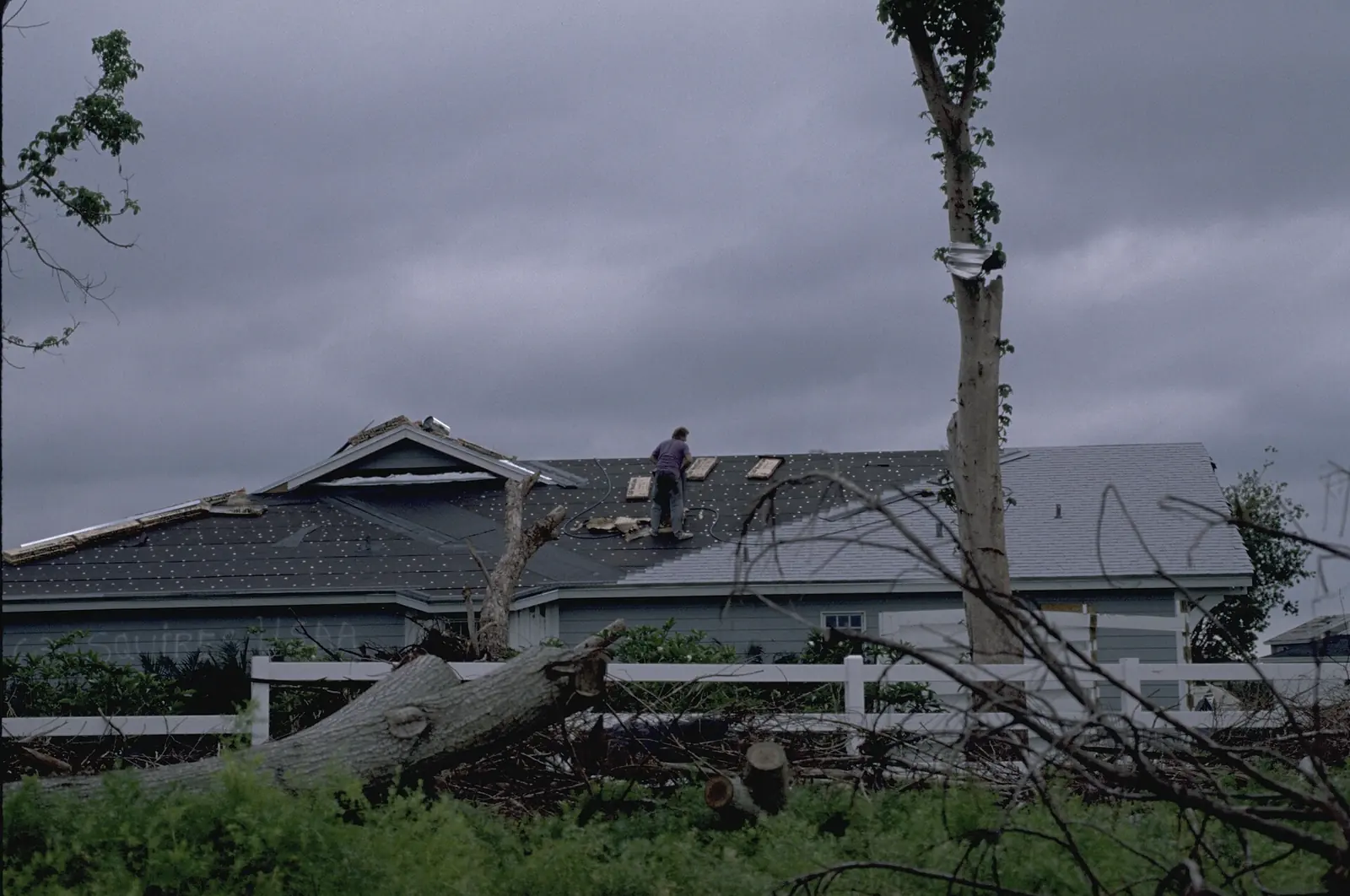
As taken

As we use it
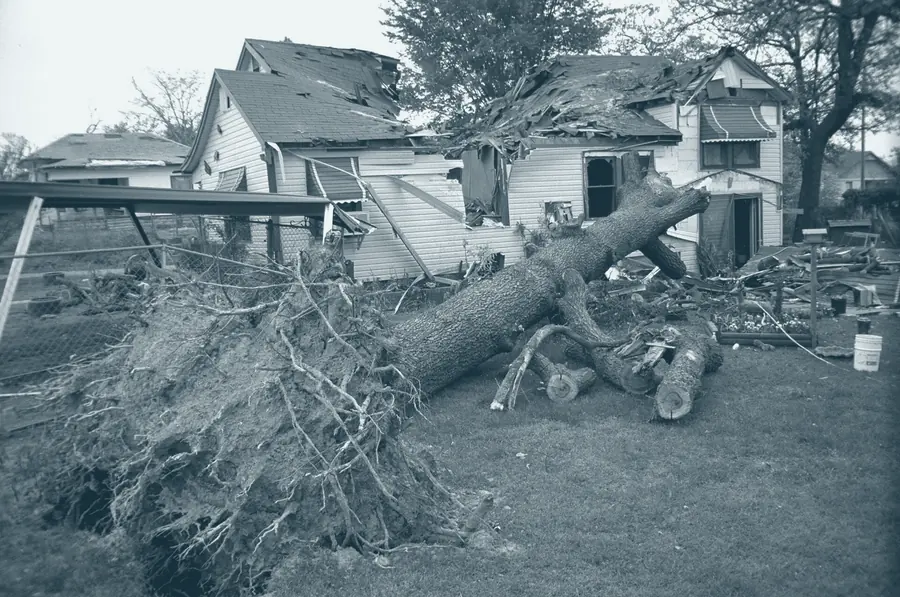
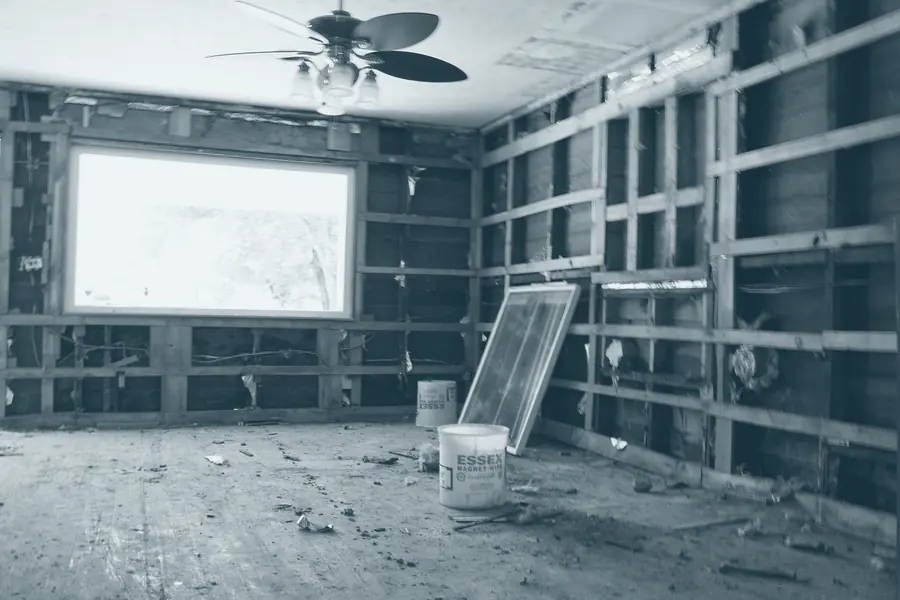
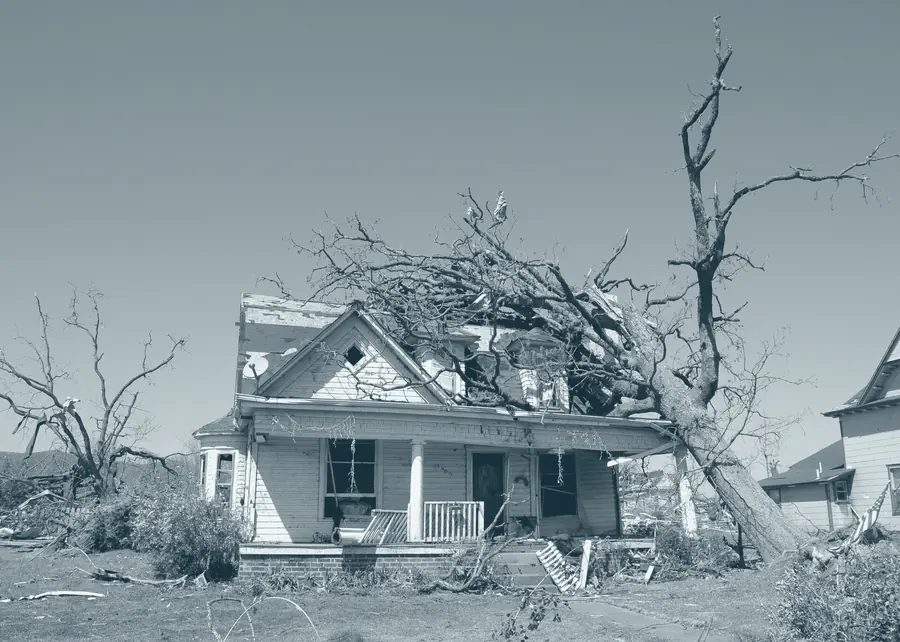
- Photographs of real damage, with the photographer and source credited. Ours are public-domain government photographs and openly licensed ones, listed with their credits.
- One tone, from Night in the shadows to white in the highlights. Behind text, a deeper version that stops at pale teal, so white type stays readable.
- No stock models acting out a claim, no posed handshakes, and no AI-generated images.
- The only people pictured are the founders, in their own portraits. Clients are quoted by their initials and never shown.
Files
Every file is cut from the original artwork at full resolution. Take the one you need, or all of them at once.
-
Download
Logo, navy
Light backgrounds you control: web pages, slides, designed documents.
PNG · 1,306 × 547 px · transparent · 45 KB
-
Download
Logo, white
Dark backgrounds you control. The fish keeps its colors.
PNG · 1,306 × 547 px · transparent · 45 KB
-
Download
Logo on white
Anywhere that needs a solid image: Word and Google Docs, email signatures, directory listings, uploads that turn transparency black.
PNG · 1,522 × 763 px · solid · 64 KB
-
 Download
Logo on Night
The same, where a dark tile suits the setting better.
PNG · 1,522 × 763 px · solid · 65 KB
-
 Download
Profile picture, white
Square avatar for social accounts and business listings. Survives a circle crop.
PNG · 1,080 × 1,080 px · solid · 69 KB
-
 Download
Profile picture, Night
The dark version of the avatar.
PNG · 1,080 × 1,080 px · solid · 72 KB
For print, signage, vehicles or embroidery, email info@oceansideappraisals.com before anything goes to production.